Ignored By Dinosaurs 🦕

Dropdown menus may seem like something that falls under the “solved problem” category, but they can be surprisingly tricky. Tutorials that you find online will usually walk you through a very simple example that assumes markup that you never have. This will not be that. We're going to talk about the theory behind building a drop down so that you can better reason your way through the mess of markup that you're given.

If you're working with Drupal and your requirements are outside the scope of what Nice Menus can give you (which happens as soon as you hear the word “responsive”), this tutorial is for you.

[!note] Be advised that some parent themes do not render the submenus even if you set the parents to “expanded” in the menu admin. I'm not sure what the logic is for that, but it's a feature you should be aware of in some base themes.


Beginning

Your menu markup is going to look something like this —

* Item 1
* Item 2
* Item 3
	+ Sub-item 1
	+ Sub-item 2
	+ Sub-item 3
* Last item

Out of the box that'll render something like this

  • Item 1
  • Item 2
  • Item 3
    • Sub-item 1
    • Sub-item 2
    • Sub-item 3
  • Last item

If you are working with Drupal, you're going to have to dig through a lot of layers of wrapper divs, and there will be a lot more classes added to each item, but the general structure is the same. One early gotcha is that all the submenu uls are also given a class of .menu, which is annoying at best.

* Item 1
* Item 2
* Item 3
	+ Sub-item 1
	+ Sub-item 2
	+ Sub-item 3
* Last item

Ignoring all that, the general idea is to hide the submenu ul, get all the top level items to line up next to each other, and show the submenus when you hover over a parent item. How?

ul {
	float: left;
	margin: 0;
	padding: 0;
}
ul li {
	position: relative;
	float: left;
	list-style: none;
	list-style-image: none; /\* DRUPAL!! \*/
	padding: .5em 1em;
	margin: 0;
}
ul li ul {
	display: none;
	position: absolute;
	width: 10em;
	left: 0;
	top: 1em;
}

ul li:hover ul {
	display: block;
}

JSBin here

Play by play

I'll assume that the left floating stuff is understandable. The real action with a drop down happens with the display:none; position:absolute set on the submenus and the position:relative set on the parent -s. position: relative means nothing much to the item on which it's set (unless you start adding positioning rules to it as well). It's importance here is because any child elements/nodes that are absolutely positioned inside of it will now be positioned as if they exist inside that element. Without position:relative on that item, the absolutely positioned elements inside of it will position themselves relative to the body element, or the first containing ancestor that is positioned relatively. See here for an example.

As an aside, these two ALA articles are required reading if this part makes your eyes cross.

The rest of this is hopefully understandable. display: none on the submenu hides it from view, until you hover over it's parent -, at which point it gets the display property of block, which makes it show up in your browser. Since it's absolutely positioned, it'll need a width specified. You'll need something narrow enough to prevent short item from floating next to each other, but wide enough to keep longer items from breaking to too many lines.

On Superfish, Nice Menus, javascript, etc

Presumably, you might have heard of Superfish. It was the defacto JS solution to drop downs for many years, most of them in IE6/pre-jQuery era. IE6 has a (ahem) “feature” where only certain elements properly respond to the :hover pseudo-selector. That meant for a great many years that the only real solution was to patch this behavior with javascript. Fortunately, you only have to deal with this issue now if you still support IE6.

The other, definitely legitimate issue, is that using CSS only means that the instant you leave the zone of the parent item (don't forget the the parent - is wrapped around the entire submenu), your submenu will disappear. This means either judicious placement of your submenu, or utilizing some javascript to make your menu behave a bit more smoothly. Both are good solutions, imo.

Here's an updated JSBin. Note in the collapsed CSS column I've commented out this part —

ul li:hover ul {
	/*display: block;*/
}

This means we'll be hiding and showing the dropdown with javascript (jQuery in this example). I've added a class of expanded to the parent * to make selector targeting easier. Here's the full javascript -

jQuery(function($){
	var timerOut;

	$('.expanded').on('mouseover', function(){
		clearTimeout(timerOut);
		var self = this;
		setTimeout(function(){
		$('ul', self).show();
	}, 300);

	}).on('mouseout', function() {
		var self = this;
		timerOut = setTimeout(function() {
		$('ul', self).hide();
	}, 300);
	});
});

So, setTimeout returns a numeric timer id that you can use to cancel out the setTimeout callback if you need to. Since we're going to need access to one event handler's timeout in another event handler, we're going to declare the variable for the timerId outside the scope of both of them – var timerOut in the outer function.

Any time you use jQuery on(), the element that is triggering the handler is this inside the callback function (the function after 'mouseover'). We'll assign that to var self; since we're going to enter another context once we enter the setTimeout() callback. By the way, all of this gobbledygook about scope and this is THE trick to Javascript. Understand function scope in Javascript and you'll be highly paid. I'm still getting there myself.

So anyway, discounting that bit, it's very simple. When you mouseover the parent, show the submenu. When you mouseout of the parent, hide the submenu. All we're doing is adding a delay to those actions firing. The trick is cancelling that hide() call if the user decides within 300ms that they didn't mean to wander out of the submenu. That's where clearTimout() works it's magic in the mouseover function. If there is a mouseout timer still ticking, it's ID will be assigned to timerOut and it'll get cleared. If it's already hidden the submenu, no harm and no foul.

Note that if $('ul', self) looks weird, what that means is the item in the context of self is what we're trying to find. Omit the context and it implicitly becomes the whole window. Add the context and is almost the same as saying $('li.expanded ul'). I say “almost” because the second, longer example will actually grab *any* ul inside of *any* li.expanded, which is not what you want. That's why specifying the context not only shortens your code and improves performance since the whole DOM doesn't need to be searched each time, but also scopes your selector dynamically based on which element triggered the handler. I know this is total babble, and I'm sorry.

Final gotcha

Drupal's version of jQuery is so dated that on() isn't available. If you have the option of jQuery_updating to 1.7, you can enjoy the modern era. If your site breaks, as is often the case, and you're stuck with lt 1.7, you'll need to use bind() instead. It works more or less the same in these use cases, but being familiar with event delegation is another JS Jedi trick, and the one promoted by modern Javascript authors.

In closing

This got longer than I wanted, but it's not the easiest thing in the world to build the ubiquitous drop down menu. My first one took me at least a week, and I think I eventually stumbled on Nice Menus to actually get the job done. Luckily, modern browser environments are much more predictable than they used to be, so knowing how to fish on your own is much easier these days, and the taste of a fish you caught on your own is always superior to something bought at the store, right?

This post touched on the word “responsive” at the top, and I'll follow up with how to work with that. If you've come this far, you've set yourself up nicely for an easier mobile menu job without having to fight against a bunch of other people's code.

#ui #css #javascript #theory
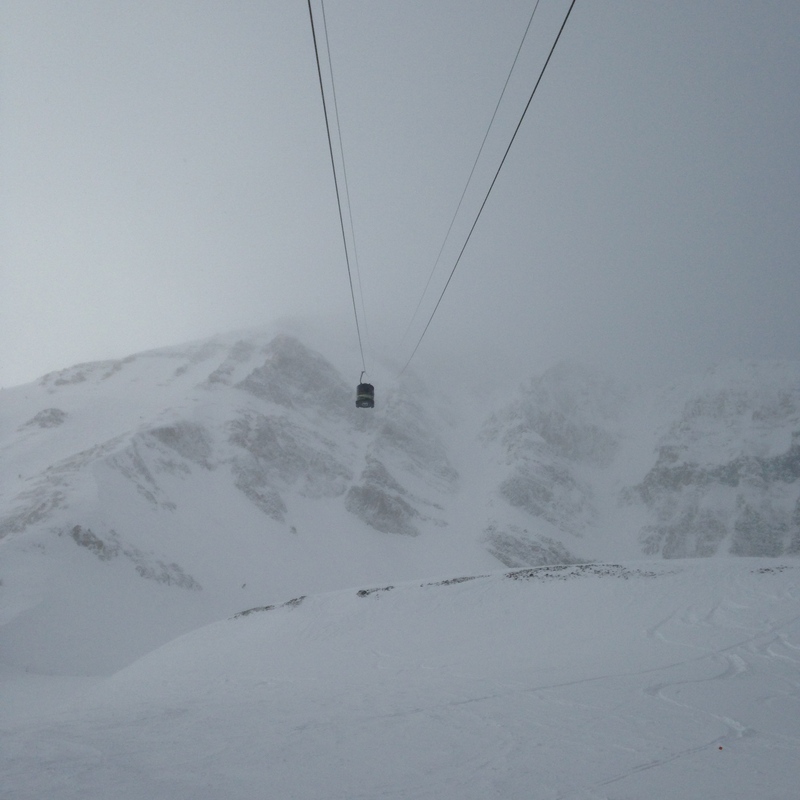
I totally forgot to take any pics of the shows, but I got some good mountain shots.

Bottom of the tram. Yes, I skied that shit.

Waiting for Thorn to come up the next tram.

#memories #bluegrass

// creates a global variable called urlParams
// adapt as needed.

// will forcefully downcase all query string params

// use --
// http://www.ignoredbydinosaurs.com?foo=bar&test=2
// urlParams.foo // bar
// urlParams.test // 2

window.urlParams = (function () {
var match,
pl = /\+/g, // Regex for replacing addition symbol with a space
search = /([^&=]+)=?([^&]\*)/g,
decode = function (s) { return decodeURIComponent(s.replace(pl, " ")); },
query = window.location.search.substring(1);

var params = {};
while (match = search.exec(query)) {
params[decode(match[1]).toLowerCase()] = decode(match[2]);
}

return params;
})();

#javascript

I've got this relatively old Hitachi plasma TV that has been slowly going down hill for years.

It's been doing this thing where if you turn it off, you can't turn it back on without letting it sit there for sometimes a very long time. I can't find the exact thread at the moment, but I found it – the one where the guy describes the exact problem I'm having, the solution, and the link to the part # on DigiKey. So I ordered it up.

I thought the bigger boys would get a kick out of it, so fired up the soldering iron last night and fixed a 4 year old problem with a $1500 TV in about 20 minutes with a $4 part.

The board in question. The capacitor on the bottom left is the bad guy. You can really see the top bulging out in this one.

I guess this part has something to do with the TV coming out of standby, and when that cap starts to go it doesn't have the power!

The lesson here is that when you're broke, you learn these things.

I recently rebuilt this site (again, I think this is v9 now) into Rails and Postgres. I was moving out of Drupal, so there was a significant downsizing of the database, and some pretty painless migration of the data. Once again, I used the Sequel gem to write the migration script to pull out the posts and related data that gets scattered hither and yon in Drupal's database. That was the easy part.

I did all of this over a period of about two weeks and it was joyous, painless, and fun. I used the Textacular gem to power that full text search up there (if you're on a #{$medium-and-up} device) and generally got to know a teeny little bit more about Postgres – the grown up's open source database. This whole thing is just a step on the path of the continous quest toward “the idea”, and some of Postgres' features that let you denormalize some easy data will definitely come in handy when I understand the fundamentals of the engine a little better. I just met one of them now.

Postgres sequences

When you want an auto-incrementing id as a primary key on your database table in MySQL, it's very straightforward. It's essentially a property of the column itself, ie

+-------+---------+------+-----+---------+----------------+
| Field | Type | Null | Key | Default | Extra |
+-------+---------+------+-----+---------+----------------+
| id | int(11) | NO | PRI | NULL | auto_increment |
+-------+---------+------+-----+---------+----------------+

In postgres, which is a much more robust database, you have an entire “sequence” object available in the database. You can program these sequences as you would an object, so if for some reason you wanted to skip even numbers, you can do that. The first use case for this that comes to mind is sharding your dataset when scaling out, but it'll likely be never when I find that out in practice.

Anyway, when I migrated the blog data into the system it brought the numeric primary ids with it, but just now when I went to author my first blog post on the new system it bombed out when I went to save.

ERROR -- : PG::UniqueViolation: ERROR: duplicate key value violates unique constraint "posts_pkey"
DETAIL: Key (id)=(1) already exists.

If I hadn't read about sequences already, this would've confused the shit out of me. So the fix is to holler at your sequence object to start incrementing where you need it to, rather than 1, which is where it's currently set.

ibd_db=# select id from posts order by id desc limit 5;
  id
  -----
  251
  250
  244
  243
  239
(5 rows)

ibd_db=# alter sequence posts_id_seq restart with 252;

// Save post, no problems

ibd_db=# select id from posts order by id desc limit 5;
  id
  -----
  252
  251
  250
  244
  243
(5 rows)

So ALTER SEQUENCE sequence_name RESTART WITH next_id_in_line;.

#databases #postgres

One of the first discoveries I ever made in web development was that CSS hex values that were all the same number would always give me some shade of grey. #444 was dark, almost black. #ccc was light, perfect for form borders. Not long after I discovered that Photoshop wouldn't accept these values and would make me type in all 6 characters – #444444, #cccccc.

Sometime after that I discovered how to tap into a shade somewhere between #eee and #fff, just a barely perceptible off-white with #f4f4f4. #f9f9f9 was lighter. #efefef was darker. The jobs at hand didn't really call for a deeper cognitive understanding. Just some off white colors.


It was only much more recently that somewhere in the corners of my mind I began to unravel the science, and just this morning walking down the stairs when it hit me in the way that I now have to write about.

parseInt()

There is a javascript function called parseInt(), and its job (in case it isn't clear) is to parse integers. There are two parameters – the first being the string/number you want to parse, but the second is often overlooked. The second is the “base number” in which you wish to parse, 10 (for decimal) is the default. I've read there is a bug whereby if you pass is a string beginning with the number 0, a base of 8 is assumed. This can lead to some weird bugs if that's not what you intend, so it's considered good style to always specify what you mean, usually 10.

If you want to play with this function, pass it some hexadecimal (base 16) and see what you get back. This will let you do something like this —

 parseInt('ef', 16); // -> 239
 
 parseInt('ff', 16); // -> 255
 
 parseInt('44', 16); // -> 68
 
 parseInt('45', 16); // -> 69

Hex and Rgb

Rgb color notation is pretty simple to get your head around. It means Red, Green, Blue. The same colors that your old tube TV used to put out in those tiny little dots if you got close enough. Mix those 3 colors together in the proper proportions anbd you can pull any shade of the rainbow out. Mix them together in equal portions and you get shades of grey, ie rgb(239, 239, 239) is a lovely shade of off-white.

16 x 16 = 256; Duh.

rgb(68, 68, 68) === #444444;

I haven't really been required to think much in base 16, and the average developer probably isn't called on to think in those terms very often, but once that clicked for me, I can somewhat compute the shades of colors that I want in my head based off of thinking about basic color mixing theory and then doing some base 16 calculations in my head. Staving off Alzheimers, hopefully.

#ui #javascript #css

I'm sorry, but if there's one thing I love doing, it's taking Drupal down a peg.


I'm currently investigating doing some real time push notification work on my company's sites to make them more buzzword compliant. This is great because it finally gives me a bona fide excuse to dig into a tech that I've been wanting to find a nice small use case for for a long time – Nodejs. We could easily outsource this piece to something like Pusher, but we outsource a lot of pieces of our architecture, and with each piece comes a little accrual of technical debt. We might be able to skate by without ever having to pay it off, but we've just recently gone through a large exercise with Exact Target, our email service provider, that was vastly less than smooth. So buy in to investigate the merits of keeping it in house is what I got.

Now real time notifications isn't exactly setting up a Wordpress blog, but it's also a pretty well solved problem in this day and age, and the one use case where Node just absolutely earns its bread, so we're looking into Websockets and tying into some simple events in the Drupal stack. I was just thinking about the presentation I went to at DrupalCampNJ a couple years ago by the author of the Nodejs module. His was mainly a plumbing job to expose some of Drupal's hook lifecycle to the Node event loop, and may very well end up being something we leverage, but this phrase popped in my head.

The last thing on Earth I want to do it to couple more shit into Drupal. What I want to do is to break Drupal into little pieces, but it just keeps getting bigger and bigger. Not unlike how Bear Stearns and Wachovia got absorbed into larger banks that then became even larger banks, Drupal is *too big to fail*. I think we're in the twilight of the monolithic CMS age, but plenty of folks are betting that we aren't. I suspect we'll all have jobs one way or another, but something is just fundamentally unsound about the approach with D8. To me. I am a terrible programmer by the way, vastly inferior to all core Drupal devs, lower than dirt. Fair disclosure.

#drupal

There's a question currently on r/drupal that asks the question “What's the best way to get your head around Views?”. There are many excellent answers — “study the Views API file”, “get to know the UI “, “fuck Views because it writes poor queries” — but none of them, to me, really answer the question.

Views, for the uninitiated, is the open source, community contributed module that is the reason Drupal is the powerhouse that it is currently. Yes, there are many excellent Drupal features that have contributed to it's adoption across the CMS marketplace, but there is no other contrib module that increases Drupal's capabilities so vastly as Views. Views is “a query builder”. That means lots of things, since almost any modern CMS is simply a front end to a database somewhere, and the very act of clicking any button on almost any website means that a database is being queried somewhere in the distance. Thus, a “query builder” is a pretty cool tool to have at your disposal. You can contort almost any conceivable feature out of Views if you really know your way around. But how do you learn your way around? To me, that is what the author of the question was getting at.

Well, if you came to Drupal the way I did – trial and bumbling error, and not via a CS program somewhere – then you might not be surprised to learn that a “View” is a standard feature in most RDBMSs – Wikipedia has a great entry. In essence, a “view” in SQL is a predefined query. Views allow a DBA (database administrator) to build up a more complex query that they can then hand off to a “normal” user to use in day to day operations. Maybe this query has a several joins and numerous where clauses that are tough to remember but never change, but the business user needs to supply one varying parameter to get the results they want. Another use case might be limiting access to the DB by granting users access to the views and not to low level querying of the DB (for security reasons). Thus, the seemingly awkwardly named “Views module” actually does exactly what it says it does, if you know the terminology.

Thus, the best way to learn Views is to learn SQL itself. Views' strange terminology (contextual filters, relationships, etc) are just different names for standard query features in MySQL or any other relational database system. Once you start poking around the standard Drupal DB schema, and start stepping through how a simple Drupal View is put together, you can start to understand the deeper mechanics of how the code works under the hood.

When beginning with a new view, the first question you are asked is Show _______ of type _____ sorted by _______. This is the bones of a very simple select query. Show _____ is asking which table in the DB is going to be the base of this query, most often it'll stay on the default “content”, which means the node table. Of type _____ says where type = whatever and sort by _____ does just that. So you end up with something like ...

SELECT * FROM node WHERE type = article ORDER BY date DESC

... and you're off to the races. The rest of the Views wizard allows you to refine this query to (hopefully) pull out what you want to display on the site.

The key to learning Views, therefore, is learning the Drupal database structure in general, and how to query it in straight SQL to get what you want. Once you've wrapped your head around how to join the users table to the role table via the users_roles table in order to pull out every user who is an admin via the mysql command line, it becomes much easier to translate this into a much quicker job in the Views UI. Soon you'll notice that the blocks, users, and comments tables are all plural while node, contact, and role are all singular, and then you'll be well down the path of a deeper understanding of what makes Drupal such an absurdly powerful CMS.

#drupal

After reading the news about Fastcgi support landing in HHVM, I had to finally give it a try. I'll assume that you're at least familiar with HHVM and it's design goals, but if you aren't the HHVM wiki is a good place to start. In a nutshell, it's a new PHP runtime courtesy of Facebook that, if you can get it working, promises to run circles around any PHP interpreter currently on the market.

So I came into work on Wednesday fired up to give it a try. I wasn't expecting anything at all, since the sites I work with for my day job are pretty large and have a decent number of contrib modules installed. In case you're wondering, core Drupal is supposedly 100% on the HHVM now, but contrib is a different story.

The first thing you should know is that it only runs on 64-bit version of Ubuntu, so head over to Digital Ocean and fire one up. I prefer 12.04, so that's what I conducted this experiment on. The first link above gives instructions on how to install HHVM via apt, so that's the route I went. I first tried on the tiny little box that this site runs on, which is a 32-bit version of Ubuntu, and while the apt repo would update itself with the new HHVM repo, it wouldn't install. So, onto plan B, which involved a 1G box running a 64-bit version.

This one installed from the HHVM repo without a hitch — init script in /etc/init.d/ which pointed to some configs in /etc/hhvm. A quick perusal of that config script, which looked very much like an Nginx config, looked pretty straightforward. Installing Nginx and git and everything else I need to stand a site up was routine. Looking good. So sudo service hhvm start, and we're off to the races. top showed the hhvm process running as www-data so I hit the root URL. Page not found was the only feedback I got. curl -I gave me an x-something-something header that said HPHP, so I was puzzled. HipHop was listening on port 80 and was directly catching the web traffic, as opposed to standing behing Nginx and listening on port 9000.

It took me about 30 minutes of fiddling around, but the real clue was in the instructions for how to start HHVM on a system that doesn't have a repo installer.

cd /path/to/your/www/root
hhvm --mode server -vServer.Type=fastcgi -vServer.Port=9000

So, I took another look at the /etc/hhvm/server.hdf config file that the init script was pointing to and noticed that it was set to listen on port 80, not port 9000, and it was set inside of a Server {} block. That Server {} block that looked like the perfect place to put Type = fastcgi, so I did, and changed the port to 9000. The docs indicated that the process needs to be started from the root of your PHP app, but that might only apply to non-fastcgi HHVM. I started it from there anyway, and I finally had the thing working.

Standard “standing an existing Drupal site up on a new box” fiddling around with connections and file system settings and I actually got the thing to stand up after about 90 minutes of playing with it.

Thoughts

I'm a pretty good sysadmin for a front end developer, but I'm still just a front end developer. It was, however, very easy to find my way around the configs and start to get a sense of what HHVM does. I ended up upsizing the box to a 4G instance for a little bit after it started giving me some memory-related errors that I didn't have the skills to diagnose. I have no idea if that much RAM is needed, but it cost about $.20 to bump it up for a couple hours and find out.

The beautiful thing about it was that once I finally figured out how to stand it up correctly, my existing Nginx/FPM config (a derivative of Perusio's) worked out of the box with absolutely no other intervention. When I got stuck once by a cache clear that I suspect was the real cause of my memory issue, I shut HHMV down, brought FPM up and got unstuck. After I was stabilized again, I shut FPM back down and brought HHVM back up. It was seamless.

I finally gave up after a little bit because although it was working, the HHVM logs were full of notices, and I repeatedly hit a wall with some function, first in the gd lib and then in apachesolr, that didn't like the input it was being fed. I had to get back to “real work”, but I will dive back in very soon and hopefully be able to contribute some feedback. The maintainers are extremely friendly and active on IRC.

I'm very, very excited for the future of this project and would highly recommend giving it a try. I was amazed that I was able to get anything to load on it at all, and am salivating at the thought of actually getting the VM warmed up with a bunch of repeated requests. When it is ready for prime time across a wide variety of PHP apps, it's going to change the way people think about interpreted languages in general, and is going to single handedly contribute to a faster web. For this, we thank you Facebook.

#drupal #devops

I've recently finished up a project here at the job that gave me a blank check as far as writing the front end code was concerned. It was among the most blissful Drupal projects I've ever worked on, as my boss did all of the Drupal stuff, and I wrote all the code. It was heaven.

So, there were a lot of requests for some cool javascript features, and rather than reaching for the plugin drawer, I decided to write most of them from scratch. The main feature pages are mostly like this. The left hand “scrollspy” navigation was ripped off from Twitter's Bootstrap UI library, and (imho) warrants it's own write up, as it's some of the coolest code I've written yet.

Most of the moving features on the site, especially the left nav when activated and the contact tab flyout thingy were written initially using jQuery to animate positioning and display properties on the DOM elements themselves. “60 fps” is the battle cry of the UI engineer this month though, so I thought I'd try a few new tricks, namely swapping out those jQuery animations for CSS transitions. Turns out this is insanely easy, requires way less code than the previous alternative, and will outperform the JS implementation any day of the week.

var ABM = window.ABM || {};
ABM.contactFlyout = {};
 
ABM.contactFlyout = (function() {
 
var $ = window.jQuery;


var cloneContacts = function() {
// Clones the contacts div, which already exists on the page,
// attaches the copy to the page elsewhere where it can be 
// persistent, and slid out with a toggle.
};
 
var attachToggle = function() {
  $flyout = $('#flyout-wrapper');
  $('#toggle', $flyout).on('click autoFlyout', function() {
    var posY = ($flyout.hasClass('open')) ? -670 : 0;
    var winWidth = $(window).width();
    $flyout.animate({
    right: posY
    }, 350);
    $flyout.toggleClass('open');
    $(this).toggleClass('open');
  });
}

var flyoutFlash = function() {
// A thing Marketing wanted where the flyout would popout if you had never
// visited this page before, determined by a cookie.
}

// positions the contact flyout
var makeSticky = function() {
// SSIA
}
 
return {
  init: function() {
    if ($('.lt-ie9').length) return;
    cloneContacts();
    attachToggle();
    setInterval(makeSticky, 250);
    var cookieRE = /flyout/;
    if (!cookieRE.test(document.cookie)) {
      flyoutFlash();
      document.cookie = 'flyout=flown';
    }
  }
}
 
})();

The initial implementation.

So, obviously, the meat of the animation is in that attachToggle() method, which is totally poorly named and I'll refactor that right after I finish writing this. But, it just animates the positioning of that whole div, totally simple, right? So the only thing that's animating the is “right” property of that div, maybe we should try a CSS transform on that instead?

Turns out all that involves is removing that animation bit so it looks like this —

var attachToggle = function() {
  $flyout = $('#flyout-wrapper');
  $('#toggle', $flyout).on('click autoFlyout', function() {
    $flyout.toggleClass('open');
    $(this).toggleClass('open');
  });
}

And then the stylesheet for that div goes from this —

#flyout-wrapper
  position: fixed
  width: 700px
  right: -670px
  top: 20px
  z-index: 3

To this —

#flyout-wrapper
  position: fixed
  width: 700px
  right: -670px
  top: 20px
  z-index: 3
  transition: right .5s
  &.open
    right: 0

Yeah. Seriously. Instead of animating whole element, try just adding a class to it – the after state – and animate the in between with CSS. I did the same thing with the left nav dropdown bit. The whole page is a lot smoother now and I'm going to rework the main nav as soon as feasible.

Edit

If you're animating the position of something, say a #page-wrap element for an off-canvas menu, and it should present in a “normal” state when not activated, you still have to specify the default positioning (ie. left: 0), or the transition will not work. Just wasted too much time figuring out why my off canvas nav wasn't working like I wanted it to.

#ui #javascript #css